Best Residential Proxies in 2026
Executive Summary: Best Residential Proxies in 2026
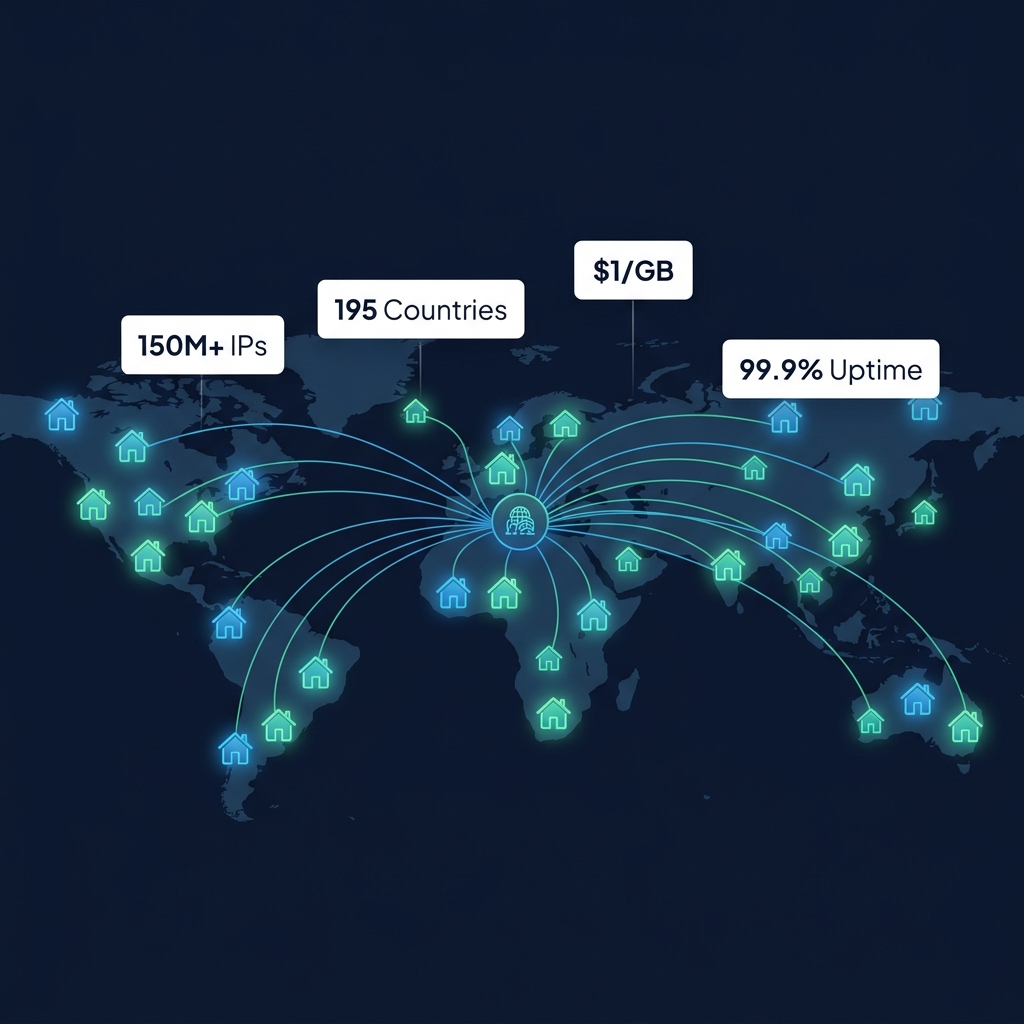
Residential proxies route your requests through real IP addresses assigned by consumer internet service providers (ISPs) such as Comcast, Deutsche Telekom, AT&T, and Vodafone. Because these IPs originate from genuine household devices, target servers classify them as legitimate consumer traffic — dramatically improving success rates against anti-bot systems like Cloudflare, DataDome, and PerimeterX compared to datacenter alternatives.
After analyzing the leading providers across IP pool size, geographic targeting depth, pricing models, session management, authentication methods, and measured success rates, the top performers for 2026 are: Bright Data (largest pool, deepest geo-targeting), Oxylabs (enterprise reliability and SERP specialization), SOAX (largest IP count at competitive pricing), Smartproxy (best mid-market value), IPRoyal (best entry-level pricing), and DataImpulse (lowest cost per GB at $1.00).
Top Pool Size
191M+ IPs
SOAX residential network
Lowest Price
$1.00/GB
DataImpulse entry plan
Countries Covered
195+
All top providers
Best Success Rate
99.9%
Bright Data & Oxylabs
1. How Residential Proxies Work
A residential proxy is a relay server that uses an IP address registered to a real consumer internet subscriber — a household connected to a standard ISP — rather than a commercial data center. The proxy provider maintains a backconnect gateway that authenticates your application, selects an appropriate residential IP from its pool based on your geo-targeting parameters, and forwards your request through that IP to the destination server.
This architecture is critical for modern web intelligence operations because target servers and bot-detection systems classify incoming connections based on the Autonomous System Number (ASN) associated with the IP address. Datacenter IPs belong to ASNs registered to cloud providers (AWS, Google Cloud, Hetzner), which bot detectors immediately flag. Residential IPs belong to consumer ISP ASNs — making them indistinguishable from organic user traffic at the IP level.
How Residential Proxy Networks Work
Real ISP IPs sourced from consumer devices — routed through backconnect gateway
YOUR APP
Sends request
+ credentials
SOCKS5/HTTP
BACKCONNECT
GATEWAY
Auth check
Geo routing
IP selection
Session mgmt
Selects IP
RESIDENTIAL IP POOL
🏠 Comcast (US)
🏠 Deutsche Telekom (DE)
🏠 KDDI (JP)
🏠 BT Broadband (UK)
🏠 Optus (AU)
Consumer ISP ASNs
Real household IPs
Exits as
consumer
TARGET SERVER
Sees: ISP IP
200 OK ✅
Result: Target server sees a legitimate ISP consumer IP — not a proxy, not a datacenter
The key components of a residential proxy network are the backconnect gateway, the IP pool sourcing infrastructure, and the session management layer. The gateway handles authentication (via username/password or IP whitelisting), geo-targeting parameter parsing, and session type assignment. The IP pool is sourced from real consumer devices — typically through SDK-based programs where device owners voluntarily share unused bandwidth. The session layer manages whether IPs rotate per-request (rotating sessions) or remain stable for a defined duration (sticky sessions).
For deeper technical context on how the proxy connection protocol works at the socket level, see our guide on SOCKS4 vs SOCKS5 protocols. For a comparison of residential proxies against mobile proxies, see Residential vs Mobile Proxies: Which Should You Choose in 2026?
2. Residential Proxy Providers Ranked by IP Pool Size
IP pool size directly determines the diversity of IPs available for rotation — a larger pool means each IP is used less frequently, reducing the likelihood of IP reputation damage and improving success rates on heavily protected targets. Here is how the leading providers compare in 2026.
IP Pool Size Comparison — Top Residential Proxy Providers 2026
Verified residential IP pool size (millions of IPs)
Bright Data
150M+ IPs
SOAX
191M+ IPs
Oxylabs
100M+ IPs
Smartproxy
55M+ IPs
IPRoyal
32M+ IPs
DataImpulse
5M+ IPs
Pool size alone does not determine proxy quality. A provider with 5 million highly maintained IPs may outperform one with 191 million poorly managed IPs on specific targets. What matters is the quality-to-quantity ratio: fresh IP rotation, low IP reuse rates, ethical sourcing compliance, and active blocklist monitoring. The leading providers all maintain dedicated trust and safety teams that remove flagged IPs from rotation and monitor subnet reputation continuously.
3. Residential Proxy Pricing Compared
Residential proxy pricing is denominated primarily in cost per gigabyte (GB) of traffic consumed, though some providers also offer per-IP or per-port models for static/ISP proxies. The bandwidth consumption model is standard because residential IPs are shared resources that must be metered fairly across users. Understanding pricing structures prevents unexpected cost overruns on high-volume scraping projects.
Residential Proxy Pricing Per GB — 2026 Market Rates
Entry-level plan pricing (lower is more affordable)
Provider
Entry Price /GB
Min Commitment
Free Trial
DataImpulse
$1.00/GB 🥇
$5 minimum
✅ Yes
IPRoyal
$1.75/GB
$1.75 minimum
✅ Yes
SOAX
$3.50/GB
$99/month
⚠️ Trial credits
Smartproxy
$7.00/GB
$75/month
✅ 3-day trial
Oxylabs
$8.00/GB
$99/month
✅ Free trial
Bright Data
$8.40/GB
Pay-as-you-go
✅ Free trial
There are several critical pricing factors beyond the headline cost per GB. First, minimum monthly commitments: some providers require a minimum spend (e.g., $99/month for Oxylabs residential entry plan) regardless of actual usage, while others like IPRoyal allow pay-as-you-go from as little as $1.75. Second, traffic rollover: some providers allow unused bandwidth to roll over to the next billing period, while others forfeit it. Third, concurrent connection limits: high-concurrency users may need to pay for higher-tier plans with increased thread limits.
Provider
Entry Price
Pool Size
Min. Commit
Geo Depth
Best For
Bright Data
$8.40/GB
150M+
Pay-as-you-go
Country+City+ZIP+ISP
Enterprise, compliance
Oxylabs
$8.00/GB
100M+
$99/month
Country+City+ASN
SERP, e-commerce
SOAX
$3.50/GB
191M+
$99/month
Country+City+ISP
ISP targeting, scale
Smartproxy
$7.00/GB
55M+
$75/month
Country+City
Mid-market, scraping
IPRoyal
$1.75/GB
32M+
No minimum
Country+City
Budget, small projects
DataImpulse
$1.00/GB 🥇
5M+
$5 minimum
Country only
Ultra-budget, high vol.
4. Geographic Targeting Capabilities
Geographic targeting precision is one of the most important differentiators among residential proxy providers. The targeting depth determines which use cases are feasible: country-level targeting is sufficient for basic geo-unblocking, while city-level and ISP-level targeting are required for localized SERP tracking, competitor price monitoring, and compliance-sensitive ad verification workflows.
Geo-Targeting Depth by Provider
Country → State/Region → City → ZIP Code → ISP targeting levels supported
Bright Data
✅ Country + State + City
✅ ZIP Code + ISP targeting
195 countries
Oxylabs
✅ Country + State + City
✅ ASN targeting
195 countries
SOAX
✅ Country + City + ISP
⚠️ No ZIP targeting
195 countries
Smartproxy
✅ Country + City
⚠️ No ISP targeting
195 countries
IPRoyal
✅ Country + City
❌ No ISP targeting
195 countries
DataImpulse
✅ Country targeting
❌ No city / ISP
150+ countries
The most advanced providers — Bright Data and Oxylabs — offer targeting down to ZIP/postal code level and specific ISP (Autonomous System) targeting. This allows scraping professionals to simulate requests appearing to originate from a specific neighborhood in Chicago (ZIP: 60611) on a Comcast consumer line, which is critical for local business intelligence and accurate geo-specific SERP data. ISP targeting is particularly valuable for testing how different carriers deliver content to users in the same geographic area.
5. Rotating vs Sticky Sessions
All residential proxy providers offer two fundamental session models that determine how IPs are assigned and managed over the duration of your requests. Selecting the correct session type is essential for both technical success and bandwidth efficiency — choosing the wrong mode can waste significant bandwidth or cause session authentication failures.
Rotating vs Sticky Sessions — How They Work
Choose the right session mode for your use case
🔄 Rotating Sessions
New IP assigned per request (or per interval)
• Request 1 → IP: 185.220.101.55 (Comcast, US)
• Request 2 → IP: 92.60.40.10 (Deutsche T., DE)
• Request 3 → IP: 117.54.12.44 (KDDI, JP)
✅ Best for: scraping, data collection, SERP monitoring
❌ Avoid for: session-based auth, shopping carts
📌 Sticky Sessions
Same IP maintained for 1–30 min (configurable)
• Request 1 → IP: 74.125.224.72 (AT&T, US)
• Request 2 → IP: 74.125.224.72 (same session)
• Request 3 → IP: 74.125.224.72 (same session)
✅ Best for: login sessions, e-commerce, social media
❌ Avoid for: large-scale scraping (uses more bandwidth)
Rotating sessions assign a new residential IP for each HTTP request or at a configurable interval (every 1, 5, or 10 minutes). This maximizes IP diversity and is optimal for large-scale web scraping, price monitoring, SERP rank tracking, and data collection where session continuity is not required. The trade-off is slightly higher per-request overhead due to connection establishment with each new IP.
Sticky sessions (also called persistent sessions) maintain the same residential IP for a defined duration — typically 1, 5, 10, or 30 minutes depending on the provider. Sticky sessions are essential when the target application tracks user state across requests: login flows, shopping cart operations, multi-page form submissions, and social media account management all require IP consistency. Sticky sessions consume slightly more bandwidth because the same IP is allocated exclusively to your session for the duration.
For a detailed technical breakdown of rotation strategies and session architectures, see our guide on Rotating vs Sticky Sessions: Choosing the Right Mode.
6. How to Choose the Right Provider
Which Residential Proxy Provider Should You Choose?
Decision tree based on your primary use case and budget
What is your primary
budget level?
Budget
Under $100/mo
or Pay-as-you-go?
Mid
$100–$500/mo
Consistent volume?
Enterprise
$500+/mo
Need SLA + support?
→ IPRoyal or
DataImpulse
Low cost, no minimums
→ Smartproxy or
SOAX
Good balance + ISP targeting
→ Bright Data or
Oxylabs
Enterprise infra + SLA
All providers offer residential IPs — the difference is scale, geo-depth, and compliance
The decision framework above covers the primary variable — budget — but several secondary factors should inform your final choice. Consider the following criteria systematically:
Target complexity: Heavily protected targets (Cloudflare Enterprise, Akamai, Imperva) require enterprise providers with fresh IP pools and advanced fingerprinting evasion. Budget providers are suitable for less protected targets.
Geographic focus: If your scraping targets require city or ISP-level accuracy, only Bright Data, Oxylabs, and SOAX provide sufficient targeting depth.
Concurrency requirements: High-concurrency operations (100+ parallel threads) need providers with large IP pools and no concurrent connection bottlenecks. Verify thread limits in the provider's documentation before purchasing.
Compliance requirements: Enterprise compliance-sensitive use cases (ad verification, brand monitoring) typically require providers with documented ethical sourcing programs and published privacy policies for their IP contributors.
Protocol support: Verify that the provider supports your required protocol (HTTP, HTTPS, SOCKS5) and authentication method (username/password or IP whitelist). SOCKS5 is recommended for maximum protocol compatibility.
API and dashboard: Production-grade operations benefit from REST API access for programmatic session management, real-time usage dashboards, and sub-account management for team environments.
7. Configuration Examples
The following examples demonstrate how to configure residential proxy connections in Python using the most common integration pattern. Most providers use a standard username/password format with an optional geo-targeting parameter appended to the username.
Python — Rotating Residential Proxy (requests + SOCKS5)
# pip install requests[socks]
import requests
# Standard residential proxy format (Smartproxy example)
# Username format: user-{{{username}}}-country-{{CC}}-session-{{id}}
proxies = {{
"http": "socks5h://user-myuser-country-US:password@gate.smartproxy.com:7000",
"https": "socks5h://user-myuser-country-US:password@gate.smartproxy.com:7000",
}}
headers = {{
"User-Agent": "Mozilla/5.0 (Windows NT 10.0; Win64; x64) AppleWebKit/537.36",
"Accept-Language": "en-US,en;q=0.9",
"Accept": "text/html,application/xhtml+xml,application/xml;q=0.9,*/*;q=0.8",
}}
r = requests.get("https://httpbin.org/ip", proxies=proxies, headers=headers, timeout=15)
print(r.json()) # Should show a residential IP, not a datacenter IP
Python — Sticky Session with City Targeting (Bright Data)
import requests
import uuid
# Bright Data sticky session with city targeting
session_id = uuid.uuid4().hex[:8] # Unique session ID for sticky IP
proxies = {{
"http": "http://brd-customer-hl_xxx-zone-residential-country-us-city-newyork-session-" + session_id + ":password@brd.superproxy.io:22225",
"https": "http://brd-customer-hl_xxx-zone-residential-country-us-city-newyork-session-" + session_id + ":password@brd.superproxy.io:22225",
}}
# Make multiple requests using the same sticky session (same IP)
for i in range(3):
r = requests.get("https://httpbin.org/ip", proxies=proxies, timeout=15)
print(f"Request {{i+1}}: {{r.json()['origin']}}") # Should show the same IP each time
cURL — Test Residential Proxy & Verify ASN
# Verify that the proxy is actually residential (consumer ISP ASN)
curl --proxy "http://user:pass@gate.provider.com:7000" "https://ipinfo.io/json"
# A genuine residential proxy should show:
# "org": "AS7922 Comcast Cable Communications, LLC"
# NOT: "AS16509 Amazon.com, Inc." (datacenter)
8. Overall Provider Rankings
The scorecard below summarizes the overall ranking across all evaluation criteria. Each provider occupies a distinct position in the market — there is no single "best" provider for all use cases. Match the provider profile to your specific technical requirements and budget constraints.
Overall Provider Scorecard — Best Residential Proxies 2026
Rated across: Pool Size, Geo Depth, Speed, Price, Support, Success Rate
Provider
Pool Size
Geo Depth
Price/GB
Success Rate
Best For
Score
Bright Data
150M+
Country+City+ZIP+ISP
$8.40/GB
99.9%
Enterprise scraping
9.7/10
Oxylabs
100M+
Country+City+ASN
$8.00/GB
99.9%
SERP, e-commerce
9.5/10
SOAX
191M+
Country+City+ISP
$3.50/GB
99.5%
ISP targeting, scale
9.3/10
Smartproxy
55M+
Country+City
$7.00/GB
99.4%
Mid-market scraping
9.0/10
IPRoyal
32M+
Country+City
$1.75/GB
98.5%
Budget, small projects
8.7/10
DataImpulse
5M+
Country only
$1.00/GB 🥇
97.0%
Ultra-budget, high vol.
8.2/10
Frequently Asked Questions
What is a residential proxy?
A residential proxy routes your internet traffic through an IP address assigned by a real consumer ISP (such as Comcast, AT&T, or Deutsche Telekom) to a real household device. This makes your requests appear to originate from a genuine consumer rather than an automated system, dramatically improving success rates against anti-bot protections.
Are residential proxies legal?
Residential proxies are legal networking tools used for market research, competitive intelligence, ad verification, and web scraping within permitted boundaries. Legality depends on jurisdiction and use case. Always review the Terms of Service of both your proxy provider and the target website. Reputable providers document their ethical sourcing programs and require users to agree to acceptable use policies.
How much bandwidth does web scraping consume?
A typical HTML page request consumes approximately 100KB–500KB of bandwidth. JavaScript-heavy pages loaded via headless browsers consume 1–5MB per request. For planning: 1GB of bandwidth supports roughly 2,000–10,000 standard HTML page loads or 200–1,000 JavaScript-rendered page loads. Start with a pay-as-you-go plan to benchmark your actual consumption before committing to a subscription.
What is the difference between residential and datacenter proxies?
Datacenter proxies originate from commercial cloud facilities and have ASNs registered to providers like AWS, Google Cloud, or Hetzner. They are fast, cheap, and available at scale, but are easily detected by anti-bot systems. Residential proxies use real consumer ISP IPs that appear indistinguishable from organic user traffic. Residential proxies cost 5–20x more per GB but achieve dramatically higher success rates on protected targets.
Which residential proxy provider has the largest IP pool?
SOAX claims the largest residential IP pool at 191M+ IPs as of 2026. Bright Data reports 150M+ residential IPs. Oxylabs reports 100M+. However, pool size claims from providers should be evaluated alongside independent testing results, as some providers inflate counts by including duplicate or inactive IPs. The quality of IP maintenance and rotation freshness matters more than raw count for most production use cases.
Can residential proxies bypass Cloudflare?
Elite residential proxies significantly improve bypass rates against Cloudflare compared to datacenter proxies, but Cloudflare Bot Management uses additional signals beyond IP classification — including TLS fingerprinting (JA3/JA4), browser fingerprinting, behavioral analysis, and JavaScript challenge responses. For full Cloudflare bypass, residential proxies should be combined with a headless browser with proper fingerprint spoofing. Residential IPs alone are not sufficient against Cloudflare Enterprise with challenge mode enabled.
Related Technical Resources
Residential Proxies in 2026: The Complete Guide — full technical breakdown of how residential networks are built and maintained.
Residential vs Mobile Proxies: Which Should You Choose? — detailed comparison for advanced use cases.
Datacenter vs Residential Proxies — cost, speed, and detection risk analysis.
Rotating vs Sticky Sessions: Choosing the Right Mode — session architecture deep dive.
What Is an Elite Proxy? — understanding the anonymity tier that residential proxies provide.
Proxy Authentication Methods Explained — username/password vs IP whitelisting for residential proxies.
How to Choose the Best Residential Proxies for Web Scraping — buyer's checklist.
{{
"@context": "https://schema.org",
"@graph": [
{{
"@type": "BlogPosting",
"mainEntityOfPage": {{"@type": "WebPage", "@id": "https://proxyip.best/blog/best-residential-proxies-2026"}},
"headline": "Best Residential Proxies in 2026",
"image": "https://proxyip.best/assets/uploads/agent_1791999077_ac8f4ef2.png",
"datePublished": "2026-10-14T18:00:00+00:00",
"dateModified": "2026-10-14T18:00:00+00:00",
"author": {{"@type": "Organization", "name": "PROXYIP Editorial", "url": "https://proxyip.best/about"}},
"publisher": {{"@type": "Organization", "name": "PROXYIP", "logo": {{"@type": "ImageObject", "url": "https://proxyip.best/assets/images/logo.png"}}}},
"description": "The best residential proxies in 2026 ranked by IP pool size, speed, geo-targeting, authentication, and pricing. Compare Bright Data, Oxylabs, SOAX, Smartproxy, IPRoyal, and more for web scraping and automation.",
"articleSection": "Proxy Deep Dive",
"wordCount": 4900,
"inLanguage": "en"
}},
{{
"@type": "FAQPage",
"mainEntity": [
{{"@type": "Question", "name": "What is a residential proxy?", "acceptedAnswer": {{"@type": "Answer", "text": "A residential proxy routes your internet traffic through an IP address assigned by a real consumer ISP to a real household device, making requests appear to originate from a genuine consumer rather than an automated system."}}}},
{{"@type": "Question", "name": "Are residential proxies legal?", "acceptedAnswer": {{"@type": "Answer", "text": "Residential proxies are legal networking tools used for market research, competitive intelligence, and web scraping within permitted boundaries. Legality depends on jurisdiction and use case."}}}},
{{"@type": "Question", "name": "Which residential proxy provider has the largest IP pool?", "acceptedAnswer": {{"@type": "Answer", "text": "SOAX claims 191M+ IPs, Bright Data 150M+, and Oxylabs 100M+ as of 2026."}}}},
{{"@type": "Question", "name": "What is the difference between residential and datacenter proxies?", "acceptedAnswer": {{"@type": "Answer", "text": "Datacenter proxies originate from commercial cloud facilities and are easily detected. Residential proxies use real consumer ISP IPs, cost more per GB, but achieve much higher success rates on protected targets."}}}},
{{"@type": "Question", "name": "Can residential proxies bypass Cloudflare?", "acceptedAnswer": {{"@type": "Answer", "text": "Elite residential proxies improve bypass rates against Cloudflare significantly, but full bypass also requires headless browsers with proper fingerprint spoofing since Cloudflare uses TLS fingerprinting and behavioral analysis beyond IP classification."}}}}
]
}},
{{
"@type": "BreadcrumbList",
"itemListElement": [
{{"@type": "ListItem", "position": 1, "name": "Home", "item": "https://proxyip.best"}},
{{"@type": "ListItem", "position": 2, "name": "Blog", "item": "https://proxyip.best/blog"}},
{{"@type": "ListItem", "position": 3, "name": "Best Residential Proxies in 2026", "item": "https://proxyip.best/blog/best-residential-proxies-2026"}}
]
}}
]
}}
PROXYIP Editorial
Network Engineering Team
Published On
Oct 14, 2026