What Is an HTTP Proxy?
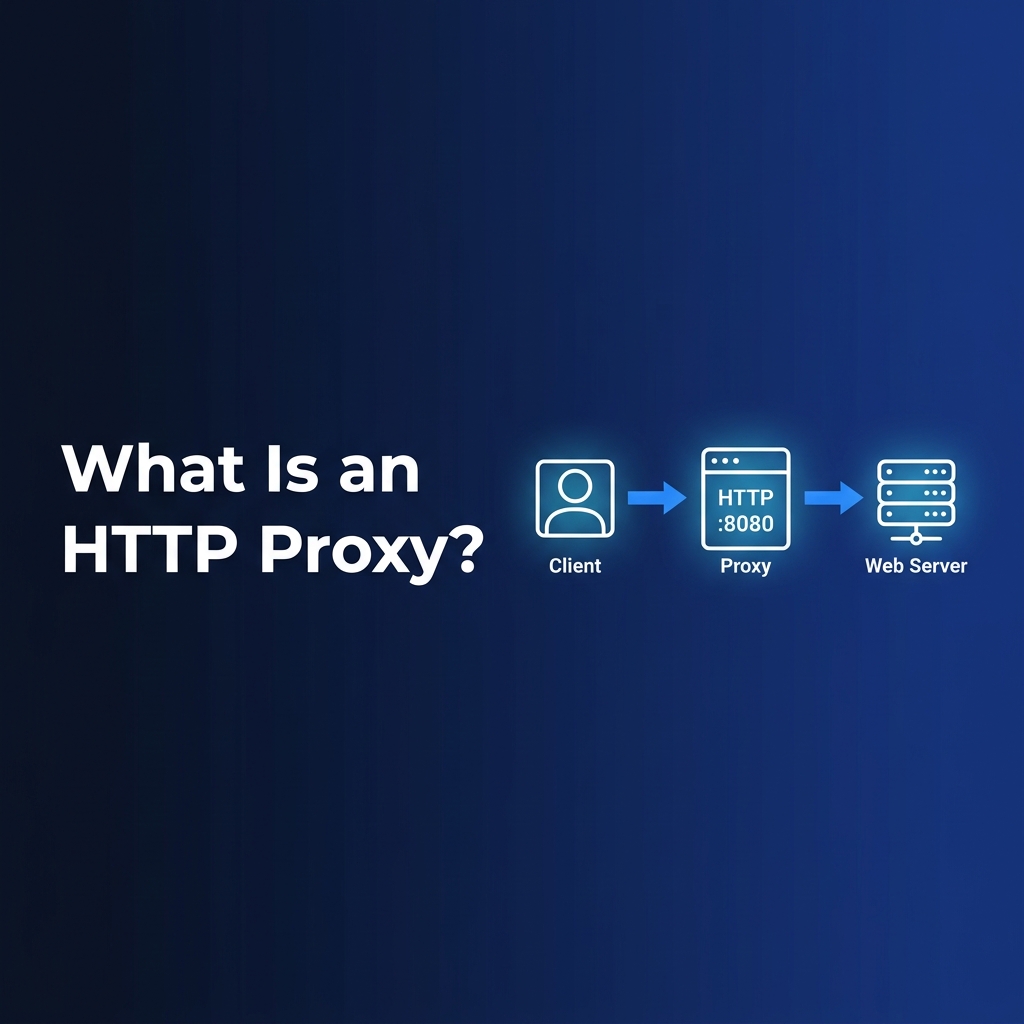
An HTTP proxy is an Application Layer (Layer 7) intermediary server that forwards HTTP and HTTPS web traffic between a client application and a destination web server. When you route traffic through an HTTP proxy, the target server sees the proxy's IP address instead of your own — enabling IP masking, content filtering, request logging, and controlled egress traffic management.
Unlike SOCKS5 proxies that operate at the Session Layer (Layer 5) and forward arbitrary TCP/UDP traffic without inspecting it, HTTP proxies understand the HTTP protocol at the application layer — parsing headers, enforcing authentication, and optionally modifying or caching responses. This makes them particularly effective for web scraping, enterprise content filtering, and anonymized browsing workflows.
How an HTTP Proxy Works
An HTTP proxy operates at Layer 7 (Application Layer) of the OSI networking model. This application-layer awareness allows the proxy to parse individual HTTP request headers, inspect message payloads, enforce authentication policies, and modify or block traffic based on configured rules — capabilities that transport-layer proxies simply do not possess.
The three core components of an HTTP proxy architecture are:
- The Client: Any application configured to route HTTP traffic through the proxy — a web browser, Python
requestsscript, Playwright automation, or API client. - The HTTP Proxy Node: The intermediary server that receives, inspects, modifies, and forwards requests using its own IP address as the egress point.
- The Destination Web Server: The target server that receives the request from the proxy's IP, processes it, and returns a response — never establishing a direct connection with the original client.
HTTP Proxy Request Lifecycle
When a client application routes traffic through an HTTP proxy, the following sequence executes for every request:
Header Modification and IP Masking
One of the most important capabilities of an HTTP proxy is its ability to inspect and modify HTTP request headers before forwarding them to the destination. This header control determines how much information about the original client is revealed to the target server.
The X-Forwarded-For header is a key indicator of how much anonymity an HTTP proxy provides. A transparent proxy will include your real IP in this header, while an elite proxy strips all identifying headers entirely, making your traffic appear to originate from the proxy itself.
HTTP CONNECT and HTTPS Tunneling
A common misconception is that HTTP proxies automatically encrypt your traffic. Standard HTTP proxying does not encrypt payload data. However, when a client needs to access an HTTPS website through an HTTP proxy, it uses the HTTP CONNECT method to establish an end-to-end encrypted TLS tunnel.
The CONNECT method is used exclusively for establishing TCP tunnels through HTTP proxies. Once the tunnel is established, the proxy becomes a transparent relay — it cannot read, modify, or inspect the encrypted TLS payload. This is why HTTPS traffic through an HTTP proxy remains end-to-end encrypted, even though the proxy itself is not an HTTPS proxy.
# Python example: Using an HTTP proxy for HTTPS requests
import requests

proxies = {
    "http":  "http://username:password@proxy-host:8080",
    "https": "http://username:password@proxy-host:8080",
}

# requests automatically uses HTTP CONNECT for HTTPS URLs
response = requests.get("https://httpbin.org/ip", proxies=proxies, timeout=30)
print(response.json())  # Returns proxy IP, not your real IP
HTTP Proxy vs SOCKS5 Proxy
HTTP proxies and SOCKS5 proxies are frequently compared, but they operate at different OSI layers and serve distinct use cases. The fundamental difference lies in protocol awareness: HTTP proxies understand and can manipulate HTTP traffic, while SOCKS5 proxies forward arbitrary TCP and UDP packets without any protocol-specific processing.
Forward vs Reverse HTTP Proxy
HTTP proxies can be deployed in two fundamentally different configurations — forward proxies and reverse proxies — each serving a completely different network role.
A forward HTTP proxy sits on the client side. It intercepts outbound traffic from client applications, masks client IP addresses, enforces access policies, and optionally caches responses for efficiency. This is the configuration used by commercial proxy providers for web scraping, anonymized browsing, and enterprise internet filtering.
A reverse proxy, on the other hand, sits on the server side. Tools like NGINX, Cloudflare, and AWS Application Load Balancer act as reverse proxies — intercepting inbound traffic before it reaches the origin servers. Reverse proxies handle load balancing, TLS termination, DDoS protection, caching, and WAF filtering.
Common Use Cases for HTTP Proxies
HTTP proxies serve diverse purposes across enterprise networking, data collection, security, and developer tooling:
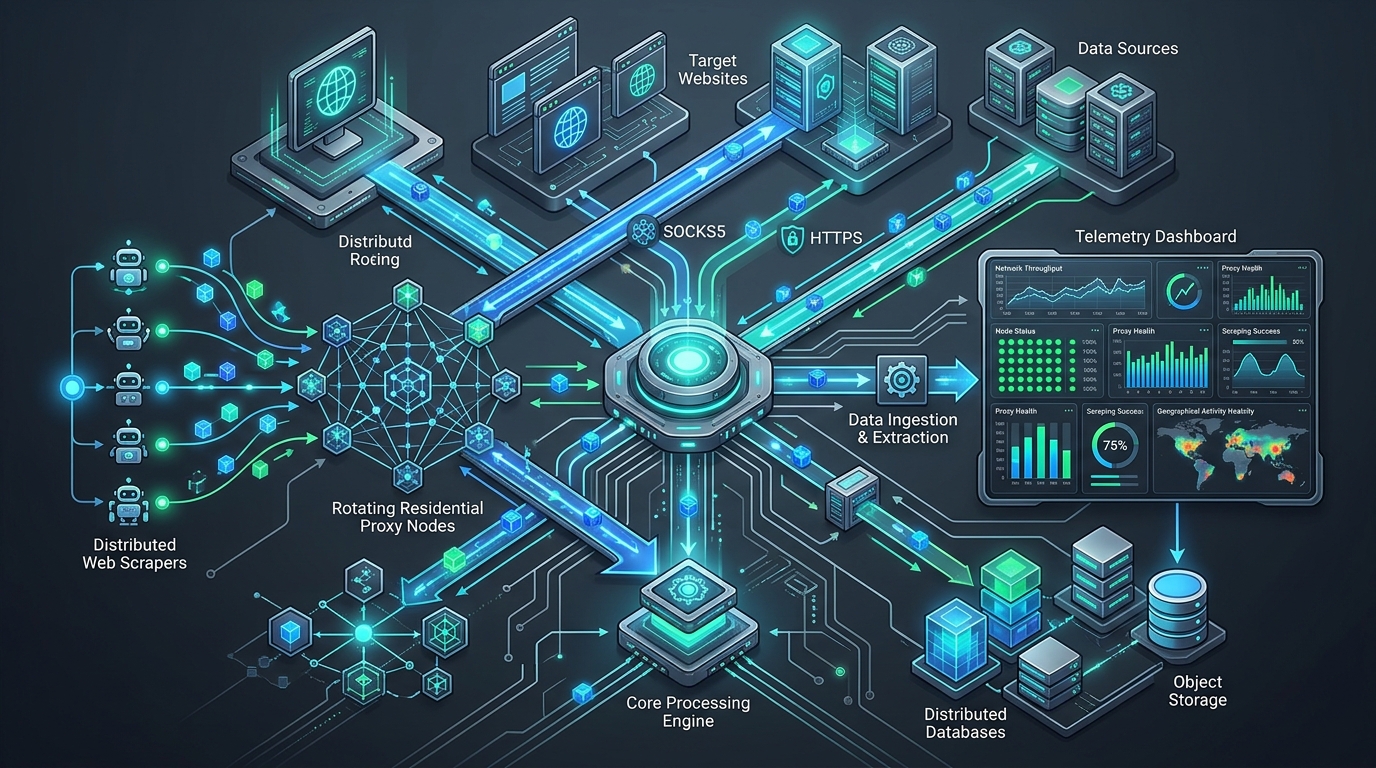
- Web Scraping and Data Collection: HTTP proxies are the foundational tool for large-scale web scraping. By rotating HTTP proxies across requests, scrapers distribute their traffic across many IP addresses, reducing the risk of rate limiting or IP bans from target websites.
- Enterprise Content Filtering: Corporate networks deploy HTTP proxy servers to inspect outbound employee traffic, enforce acceptable use policies, block malicious URLs, and log internet activity for compliance and security auditing.
- Anonymized Browsing: HTTP proxies mask the client's real IP address from destination servers, enabling access to geo-restricted content and privacy-sensitive browsing. Different proxy types — anonymous and elite — offer varying levels of identity protection.
- Caching Proxy Servers: Caching proxies store responses from frequently-accessed resources. When a client requests a previously cached resource, the proxy serves it directly without contacting the origin server, reducing latency and bandwidth consumption.
- API Gateway and Security Testing: Security professionals route HTTP traffic through proxy tools like Burp Suite and OWASP ZAP — which act as intercepting HTTP proxies — to inspect, modify, and replay HTTP requests for vulnerability assessment and penetration testing.
- Ad Verification and SEO Monitoring: Digital marketers use HTTP proxies with geographic targeting to verify how their advertisements appear in different regions and monitor search engine result pages from specific locations.
Security Considerations
While HTTP proxies offer significant benefits, they also introduce security considerations that practitioners must evaluate before deployment:
How to Configure an HTTP Proxy
Configuring an HTTP proxy depends on the application type. Here are the most common integration patterns:
# cURL — HTTP proxy with authentication
curl --proxy http://username:password@proxy-host:8080 https://httpbin.org/ip

# Environment variable method (works system-wide)
export HTTP_PROXY="http://username:password@proxy-host:8080"
export HTTPS_PROXY="http://username:password@proxy-host:8080"

# Python requests library
import requests
proxies = {"http": "http://user:pass@host:8080", "https": "http://user:pass@host:8080"}
r = requests.get("https://httpbin.org/ip", proxies=proxies)

# Node.js with https-proxy-agent
const { HttpsProxyAgent } = require('https-proxy-agent');
const agent = new HttpsProxyAgent('http://user:pass@host:8080');
fetch('https://httpbin.org/ip', { agent });
For browser-level configuration, most browsers accept HTTP proxy settings through the operating system's network preferences or through browser-specific settings. Chrome, Firefox, and Edge all support HTTPS proxies configured using the http:// scheme, which uses HTTP CONNECT tunneling for HTTPS traffic.
Frequently Asked Questions
Is an HTTP proxy the same as an HTTPS proxy?
Not exactly. An HTTP proxy handles HTTP traffic and can tunnel HTTPS via the CONNECT method. A dedicated HTTPS proxy is specifically configured to handle SSL/TLS connections. In practice, most modern HTTP proxies support both HTTP and HTTPS tunneling through the same port.
What port does an HTTP proxy use?
The most common HTTP proxy ports are 8080 and 3128, though any port can be used. Port 80 (standard HTTP) is occasionally used but often blocked by firewalls. Enterprise proxy servers frequently use port 8080, while Squid Proxy defaults to port 3128.
Can an HTTP proxy hide my IP address completely?
An elite (high-anonymity) HTTP proxy strips all forwarding headers including X-Forwarded-For and Via, making it appear that the request originates from the proxy server itself. Transparent and anonymous proxies reveal varying amounts of information about the original client.
What is the difference between an HTTP proxy and a VPN?
A VPN encrypts all traffic from your device at the network layer and routes it through a VPN server, protecting all applications simultaneously. An HTTP proxy only handles HTTP/HTTPS traffic from applications explicitly configured to use it. VPNs offer broader coverage; HTTP proxies offer faster performance and more granular control over specific application traffic.
Are HTTP proxies suitable for web scraping?
Yes — HTTP proxies are one of the most widely used tools for web scraping at scale. Using rotating proxies distributes requests across many IP addresses, preventing rate limiting and IP bans. Residential HTTP proxies are particularly effective for scraping sites with advanced bot detection systems.
Related Articles
Written by PROXYIP
Our editorial team consists of network engineers and data scraping experts dedicated to bringing transparency to the proxy market. We specialize in distributed infrastructure and high-scale data acquisition.